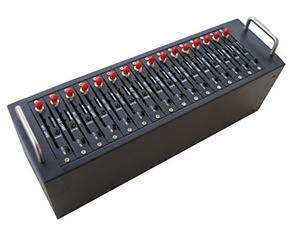
Only 3 steps to start your SMS campaign

Step 1: Hardware Preparation

Connect your hardware devices (GSM Modems, Dongles, or Android Phones) to your PC. Ensure proper driver installation for industrial-grade reliability in automated messaging.


with Android Phone:
-Install android GSM modem emulator application on android cell phone. 
With USB Modem:
-Place any SIM card into GSM dongles/modems (What is a GSM modem?)
- Make sure drivers are already installed correctly.- Insert GSM dongle/modem into your computer.

Step 2: Device Detection & Connectivity

Start SMS Deliverer and run 'phone detector' to detect the status of all connected devices.


- SMS Deliverer will show all connected GSM dongle/modem ports list, Click button 'Update all' to check the connection status such as signal strength, SIM number, carrier name etc.
- Or connect android phone, more help refer to here


Step 3: (Launch Compliant Campaign)

Import your verified contact list (CSV/TXT) and compose your message. Our system ensures your campaigns are delivered efficiently while respecting opt-out and blacklist settings.

 Click button 'Start' to start SMS campaign.

Video guide

Recommend modems and dongles
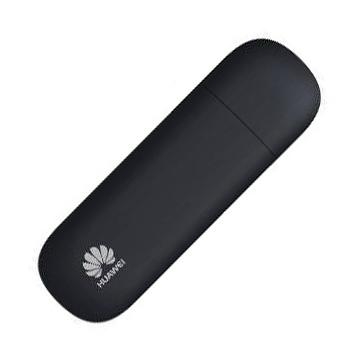
GSM Dongle

Huawei E1750, E220, E173, E160, E153 ZTE MF627, MF626,MF112,K3570,MF668, MF112, MF190, MF100, K3565-Z, MF636 Option iCON 505M, 225 And many more Note: HUAWEI E303/E353/E3131 work on HiLink mode, so they don't fit for the software.
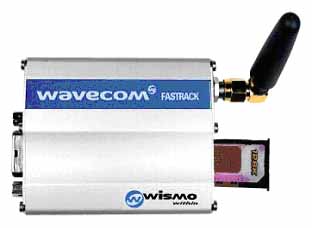
GSM Modem

Wavecom Fastrack Supreme/M1306B/M1206, MOD2 Cinterion MC55iT, MC52iT, TC65T Siemens MC55iT, TC65T, TC45T, TC35i Multitech MTCBA-G-F4